
Written by Austin Helton, Head of Partnerships
Most of what Limber makes, you can physically hold in your hand. The software that carries an order from a clinic to our print floor is the part nobody sees.
Logan Rooper has been with Limber since the beginning. As Head of Software, he decided what we would build, and he has been building it with the team ever since. That means the Limber Clinical App, the Limber Clinical Portal, and the back office behind them that runs production, inspection, shipping and billing.
I sat down with Logan to talk about the part of Limber that clinics use every day and almost never think about. Our conversation has been edited for length and clarity.
Why Build Our Own Software?
Logan: From the beginning, the team knew our data collection had to be different from a traditional device manufacturer’s, because our product is very different from a traditional device. Building the device and getting the outcome we want for the patient depends on collecting data in a very precise way.
So we knew we’d have to walk clinicians through that process with guardrails, instructions and very clear guidance. We need the data done the Limber way every time, not under a dozen different interpretations and measuring methods. That’s how we produce the exact right device for that patient. Our goal is always to get the fit right on the first try.
That takes a heavier process than a sheet of paper. We built the system with interactive instructions and guardrails so data goes in correctly. If there’s a typo, we can catch it and ask the clinician to fix it before the patient leaves the office. That’s good for the clinician, who doesn’t have to call the patient back in over a mistake. And it’s good for the patient, because we can make their device right the first time.
What Do Those Guardrails Look Like When a Clinician is Scanning?
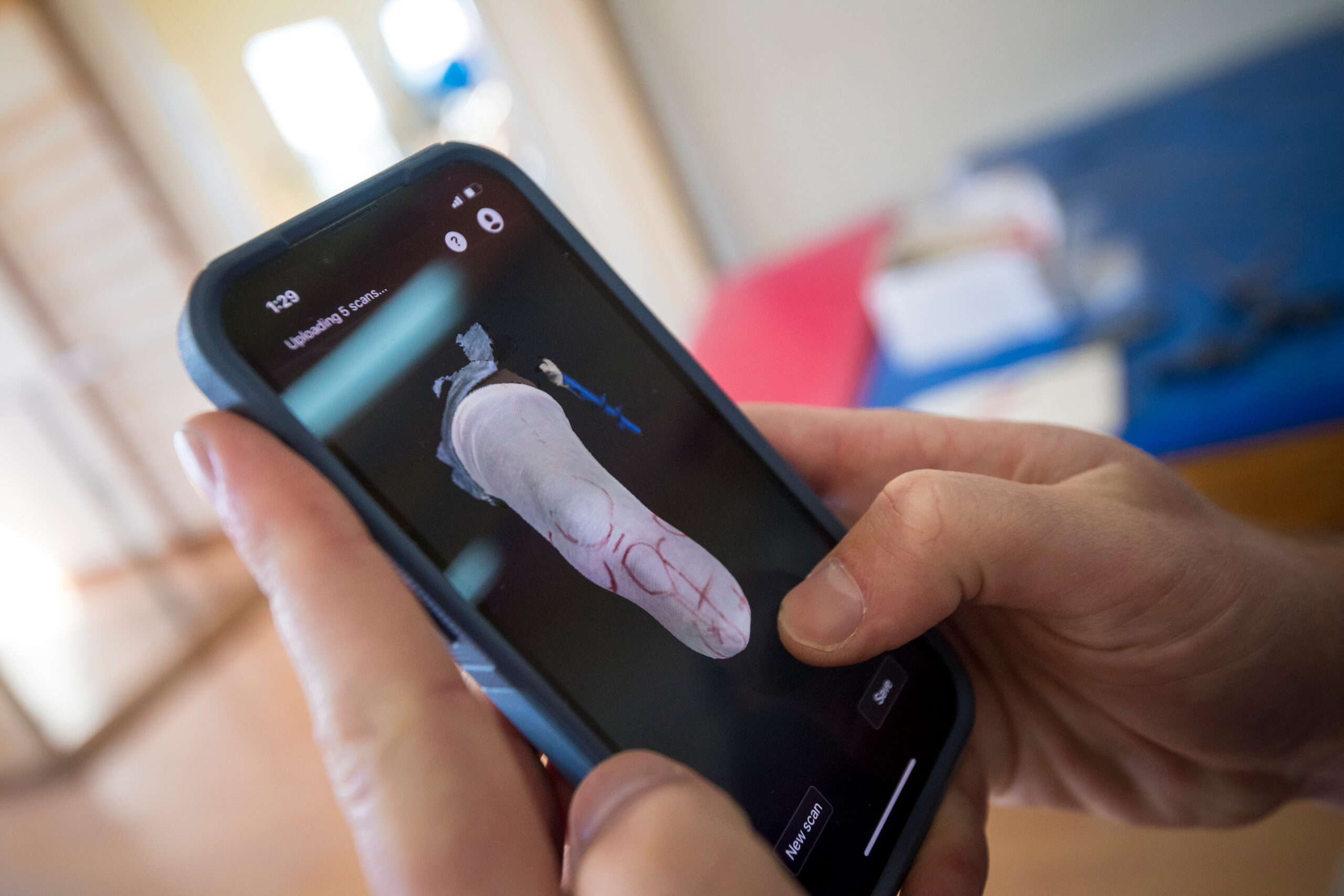
Logan: Scans are the most important data we collect. We accept scans from a variety of scanners, and Limber has its own quality bars that every scan has to meet.
The Limber Scanner is built right into the app, so the process is streamlined. When any scan comes in, we show the clinician a checklist next to a 3D preview of what they’re sending. They can check the scan against our quality guidelines on the same screen. Is the floor plane in there? Are there holes? Different scan types have different bars. The app also reminds clinicians to calibrate their phones regularly.

When the order is submitted, our intake team looks at the same quality bars. They go further than the checklist, too. They measure the model themselves to make sure everything matches what the rest of the order says. In rare cases we send an order back so the clinician can give us data good enough to make a quality device.
Austin: And if a clinic has a high-end desktop scanner, they can upload straight from the web portal?
Logan: Right. You can upload from your phone too, but if the scan is sitting on your desktop, the portal is right there on the same computer.
As of this year, the web portal does everything the iPhone app does. Was that a big lift?
Logan: It was. The new platform took three or four months of work. Now you don’t have to think about whether to go to the web or the app. They’re the same. You can start an order on one and finish it on the other. You can even switch back and forth between the apps while working on the same order.
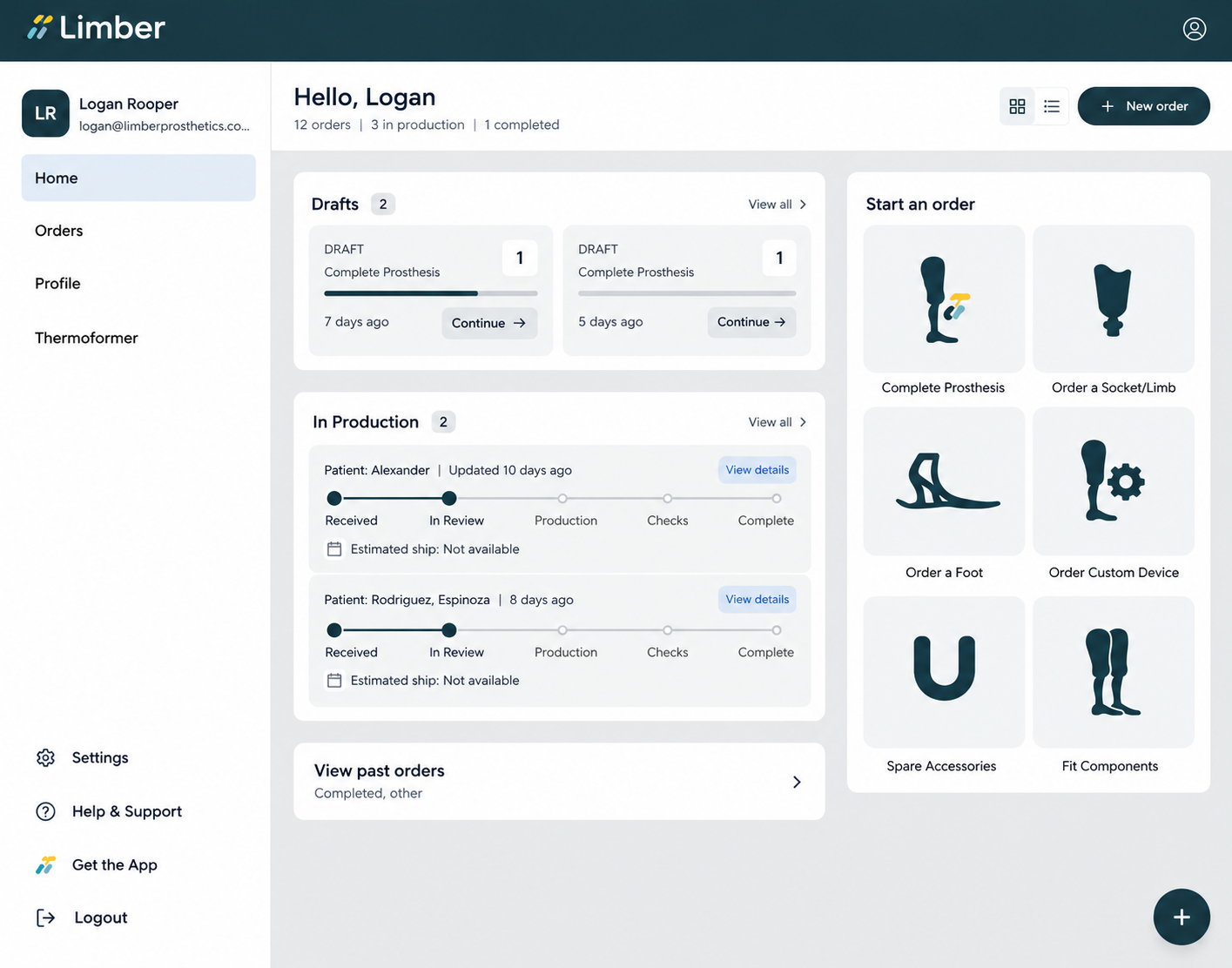
In that update we also added features for working together on an order. There’s often some back and forth during submission. Now Limber can edit your order at the same time, and both sides can see who changed what.
Austin: Sometimes a clinician calls me to check a scan while the order is still a draft. Whether they’re in Tucson or Tampa, I can log on from Colorado and see the prosthesis sitting in front of them, right then.
Logan: It’s a big upgrade over a piece of paper. It lets us run a high-touch process on every order.
A lot of clinics copy a patient’s existing, well-fitting prosthesis. How does the software make that work?
Logan: The software helps, but the real magic is that the existing device already has the right alignment and socket fit when it comes in. That lets a patient try Limber quickly, without going through a full design process.
It’s all made possible by scanning the patient’s existing prosthesis. With a few simple measurements, scan of the existing whole prosthesis, and a scan or model of the socket, our digital design team can make a new Limber prosthesis.
Clinics have a lot of flexibility in how they send it. If you’re already a digital clinic, you can simply share an existing digital model. You can scan a saved plaster model, or even use a dip-scanner for a direct scan of the socket’s inner surface. You can even mail the device to us. Every one of those paths lands in the same place in our software, so the team handles them all the same way.
Is it true that a Limber device is designed by equation, not by eye?
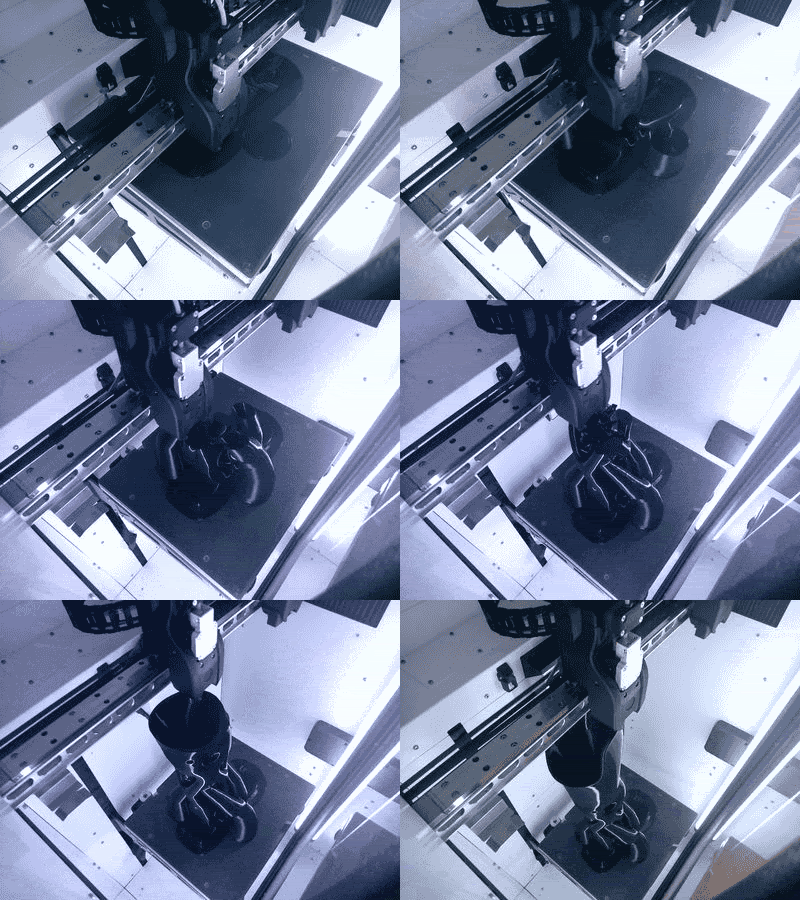
Logan: Our system is built on a set of engineering models. Every dimension in the device comes from the same parametric equations, driven by inputs like foot length, patient weight and device height. The same numbers always give the same dimensions. That lets our designers work efficiently, and it gives us a very consistent product.
Austin: So every device is different, but consistent.
Logan: Unique, but consistently accurate. Every device we make also leaves a data trail in our systems. We keep track of the feedback and the data, and we use it to refine our engineering models.
Reimbursement is one of the first things clinics ask about. What does the software do there?
Logan: Clinics, of course, care a lot about reimbursement. Every quarter, when Medicare publishes its fee schedule for prosthetics, orthotics and supplies (the DMEPOS fee schedule), we bring that data into our system. From that, we recommend L-codes and give a reimbursement estimate as part of ordering.
Austin: Based on the clinical choices the clinician makes in the guided workflow.
Logan: Right. As they make those choices in the app, they see the recommended L-codes and an estimate of the maximum allowable for what they’re ordering.
The codes are recommendations only. Choosing L-codes is always the certified prosthetist’s call, and actual payment depends on the patient, their documentation and their payer.
What Happens Behind the Apps that Clinics Never See?
Logan: A lot of it is about running our own operation well, but the big benefit for clinics is communication. Our back office is fully connected to the apps clinicians use, so you can see your order’s status as it moves through production.
Since we started building this, we built exactly what we needed, quickly. That let Limber launch faster and reach more clinics sooner, and do things you wouldn’t usually see at a company our size.
Austin: When I joined, before we were really shipping product, my big dashboard dream was a TV on the wall that said how many legs we’d shipped. What you’ve built is light years past that.
Logan: Agreed, our production system is pretty advanced now. When a clinician hits an error in one of our apps, our system detects it and drafts a fix. I review it, and it can be merged and deployed in under 20 minutes. A clinician who runs into a problem could come back to their computer 20 minutes later and find it fixed. And of course, anything that touches quality or engineering still goes through our design revision process.
So, how well is all of this actually working? Day to day…
Logan: Fewer than 5% of production orders in 2026 needed to go back to the clinic for changes. That’s an improvement over 2025, and it tells us the guardrails and order assistance are doing their job of getting people their leg on the first try.
Austin: So more than 95% of orders this year went through without us needing to call the clinician to clarify anything.
Logan: That’s right.
Austin: What’s the target for 2027?
Logan: We’d like to drive it to zero. There’s a lot of room to build AI-powered features that do what our intake team does, very quickly, while the clinician is still with the patient. I think we can get that number to zero within a couple of years. The last part is always the hardest, but I’m confident we can do it.
What Are You Building that Clinics Can Look Forward to Next Year?
Logan: I’m bringing the idea of fast, iterative yet stable improvement from the companies I’ve worked at before into this industry, so we can adapt to what clinics need quickly. Limber learns a lot from every order we make, especially orders that come back with feedback. We improve our systems based on that feedback.
Over the next year we’ll be making it even easier to submit orders. We’ll keep streamlining our internal processes so devices get back to clinicians faster, and so that Limber can produce more product… and we’ll be adding support for clinicians who want to use Android phones or new types of scanners.
Austin: Even faster than they do now. Clinics will like hearing that.
Last One. What’s Been the Most Fun Part of the Job?
Logan: Getting to see the whole scope and watching it all fit into place. Clinicians discover Limber, they place orders, and I watch those orders move through our system. This year I got to go to Mexico with the Limber team and see patients getting fit with a Limber leg for the first time.
Knowing that people get to experience this product, and that I had a part in building it, is fantastically rewarding. It’s been really fun.
The Big Takeaway
You don’t have to be a 3D printing expert to work with Limber. You need to be a licensed prosthetist who’s willing to try something new. The infrastructure is already built. A clinic that worked in plaster yesterday can go digital without building a fabrication lab, starting from an app on a phone.
As Logan put it, the platform for a clinic to go digital exists today, and a lot of what he’s building next is aimed at making that easier still.
If you’re a prosthetist and want to see the workflow for yourself, reach out to me. I’m happy to walk you through it.